
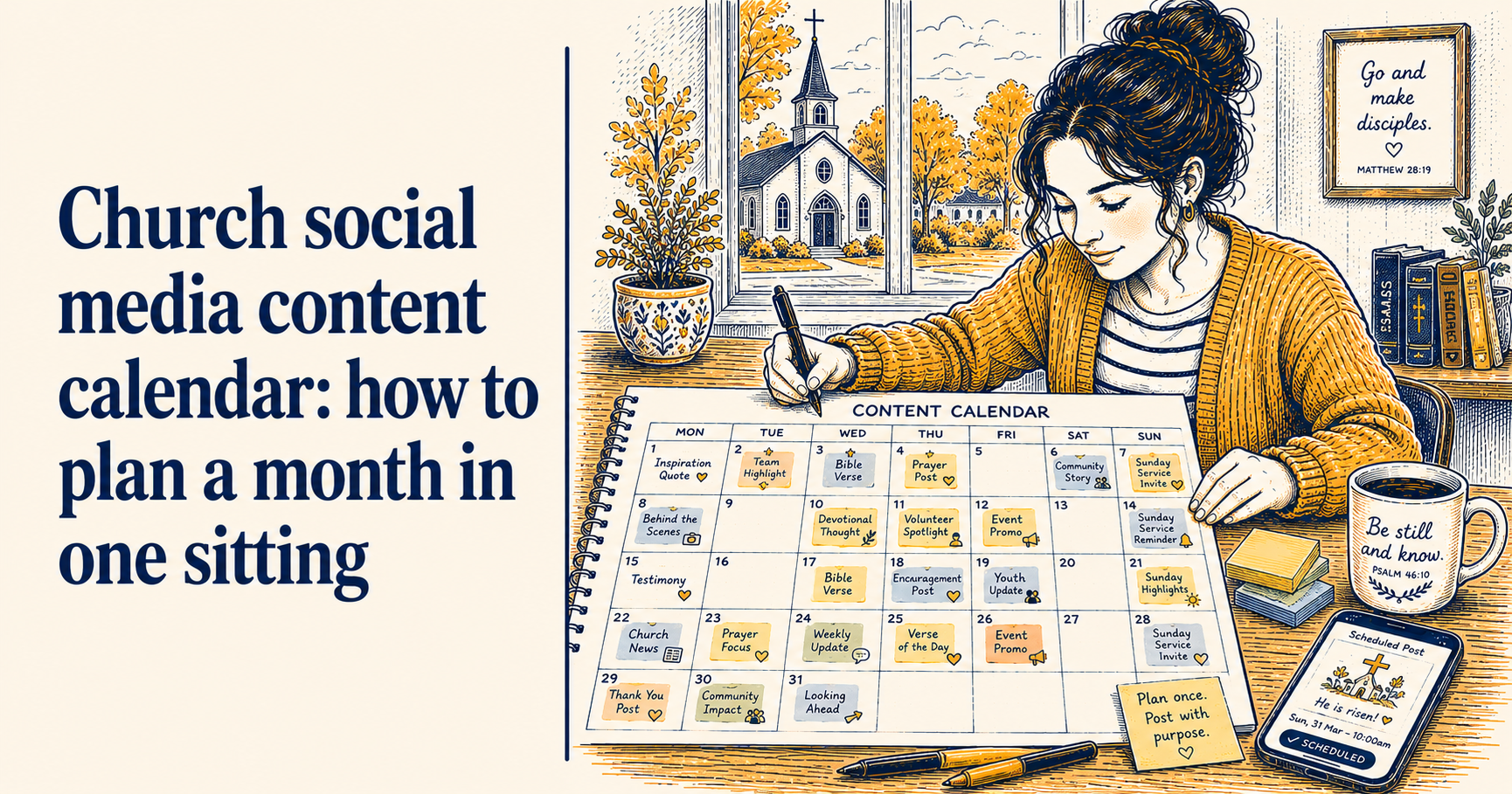
Church social media content calendar: how to plan a month in one sitting
Most church social media volunteers do not plan their content. They post when something is happening, go quiet when nothing obvious presents itself, and occasionally feel a low-level guilt about the account they are not quite keeping up with.
A content calendar fixes this, not by adding more work but by moving the thinking to a separate session so that when it comes to actually posting, the decisions are already made. You are not asking “what should I post today?” You are asking “where did I put what I already planned to post today?”
This guide covers how to build a simple content calendar, how to plan a full month in one sitting, and a template structure you can start using immediately.
What a content calendar is and is not
A content calendar is a forward-looking plan of what you intend to post and when. It does not need to be a sophisticated tool or a complex spreadsheet. For most church volunteers, a simple month-view document or even a paper calendar with notes on it is entirely sufficient.
A content calendar is not a rigid commitment. If something changes at church, or a better post opportunity presents itself, you deviate from the plan. The plan exists to fill the gaps between the moments that present themselves naturally, not to lock you into posting content that has become irrelevant.
The goal is to have enough planned in advance that social media never feels like an emergency.
The four types of content to plan for
Before filling in a calendar, it helps to decide what kinds of content you are going to produce regularly. Most UK churches need four types.
Recurring content is the same kind of post on a regular cycle: a Sunday service reminder every Saturday, a weekly Bible verse, a Monday recap photo. This content requires little decision-making because the format is fixed and you just fill it in. Plan this first because it fills the skeleton of your calendar without much effort.
Event-driven content follows your church calendar: an announcement post and a reminder post for each event happening that month. Two posts per event is the default: one announcement a week before, one reminder the day before. Plan these as soon as you know what events are coming up.
Seasonal content covers the occasions on the UK church calendar: Harvest Festival, Remembrance Sunday, Advent, Christmas, Mothering Sunday, Easter. These are predictable and worth planning well in advance. If Remembrance Sunday is in six weeks, those posts should already be in your calendar. For help building seasonal content into your schedule, see how to schedule church social media posts.
Flexible content fills the remaining slots: a photo from a recent gathering, a quote from Sunday’s sermon, something topical or responsive. You do not plan the specific content for these slots in advance, just the slot itself. Knowing you need a post on Wednesday gives you a reason to take a photo at Tuesday’s prayer meeting.
How to plan a month in one sitting
Set aside ninety minutes. This is longer than your normal weekly planning session but it is a one-off investment that makes the rest of the month significantly easier.
Step 1: Open your church calendar (15 minutes)
Look at everything happening in the coming month. Services, events, courses, community activities, anything that your congregation needs to know about. Write them all down.
If your church uses ChurchSuite, this is where connecting it to ChurchReach pays dividends - your events are already there and you do not need to cross-reference another system. See how to connect ChurchSuite to your social media for how to set this up.
Step 2: Fill in the recurring slots (10 minutes)
Put your regular content in first. Saturday service reminders, weekly Bible verse day, Monday recap slot. These go in automatically regardless of what else is happening.
Step 3: Plan your event posts (15 minutes)
For each event in the month, add two posts: an announcement roughly a week before, and a reminder the day before. Note what each post needs to include: the event name, date, time, location, and any booking requirement.
Step 4: Add seasonal content (10 minutes)
Check whether any UK church occasions fall in or near the month. If Harvest Festival is coming up, add the posts now even if they are six weeks away. Early planning is the entire point.
Step 5: Fill remaining slots with flexible content (10 minutes)
Look at what days still have no planned post. Mark these as flexible slots. You do not need to decide what goes in them now, just note that something needs to go there. This stops the blank days from catching you off guard later in the month.
Step 6: Write what you can now (30 minutes)
Any post you can write now, write now. Service time reminders, event announcements, Bible verse selections: these do not require anything to have happened yet. Writing them now means they are ready to schedule immediately rather than sitting as prompts you still have to act on.
The template
A simple structure for a monthly content calendar. You can copy this into a document or a spreadsheet.
[Church name] Content Calendar - [Month Year]
Recurring content this month:
- Every Saturday: Sunday service reminder (time, any special notes)
- Every [day]: Bible verse post
- Every Monday: Recap from Sunday
Events this month: List each event with its date, then note the announcement post date (one week before) and reminder post date (one day before).
Seasonal content: Note any UK church occasions in or approaching this month and the planned post dates.
Flexible slots: List the dates that need filling. These get confirmed week by week.
Notes for next month: Anything you want to remember for the following month’s planning: events already booked, seasonal occasions approaching, content ideas that came up this month.
How often to revisit the calendar
Once you have planned the month, you should only need to look at it briefly once a week during your regular scheduling session. You are not replanning every week, just confirming the week ahead and filling in the flexible slots.
A quick review at the start of each month - fifteen minutes to check whether anything has changed and update the plan accordingly - keeps the calendar accurate without it becoming a management overhead.
What to do when plans change
They will. The pastor cancels an event. A service time changes. Something happens locally that means a pre-planned post is no longer appropriate.
When this happens, update the calendar immediately rather than trying to remember the change later. A calendar that reflects reality is useful. One that has diverged from it quietly becomes something you stop trusting and eventually stop using.
ChurchReach has a built-in scheduling calendar that shows your planned posts in a month view, with your ChurchSuite events already synced in where relevant. Start a free trial at churchreach.co.uk.